


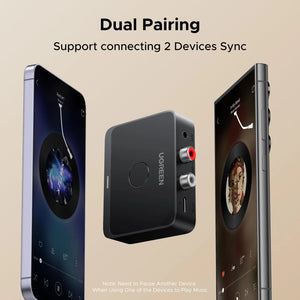
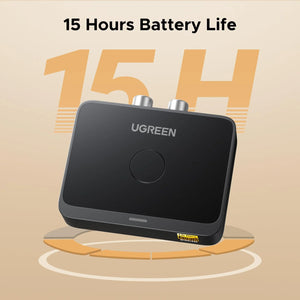

UGREEN Bluetooth 60 Audio Receiver with LDAC
Previous page
Next page
Previous page
Next page
How to Use the Product?
Previous page
Next page
Q1: How to confirm whether your phone supports LDAC?
A1: Most smartphones with Android 8.0 or above support LDAC. iPhones, however, only support SBC/AAC codecs and do not support LDAC. You can also check your phone's user manual or contact the official after-sales service for confirmation.
Q2: How to check if LDAC is enabled on the device?
A2: The product will automatically prioritize LDAC by default. When LDAC is active and audio is playing, the product's indicator light will turn green. On some smartphones, LDAC may need to be enabled manually—please contact your phone manufacturer for instructions on how to enable it.
Q3: Why need to choose a bitrate?
A3:LDAC has higher requirements for connection distance and environment. Please select an appropriate bitrate on your phone based on your current surroundings. If there are obstacles nearby or the distance between the product and your phone is relatively long, we recommend switching to a lower bitrate to ensure smooth audio playback without interruptions.
Q4: What can I do if the volume is lower than expected after pairing?
A4: For Android phones: Go to Settings > Bluetooth > Connected device settings (e.g., UGREEN-BT505 – note that the Bluetooth name may vary by product), then enable the "Volume Sync" feature and adjust the volume again.
For iPhones: Go to Settings > Sounds & Haptics > Headphone Safety, then turn off "Reduce Loud Sounds" and adjust the volume again.


UGREEN Bluetooth 60 Audio Receiver with LDAC
Previous page
Next page
Previous page
Next page
How to Use the Product?
Previous page
Next page
Q1: How to confirm whether your phone supports LDAC?
A1: Most smartphones with Android 8.0 or above support LDAC. iPhones, however, only support SBC/AAC codecs and do not support LDAC. You can also check your phone's user manual or contact the official after-sales service for confirmation.
Q2: How to check if LDAC is enabled on the device?
A2: The product will automatically prioritize LDAC by default. When LDAC is active and audio is playing, the product's indicator light will turn green. On some smartphones, LDAC may need to be enabled manually—please contact your phone manufacturer for instructions on how to enable it.
Q3: Why need to choose a bitrate?
A3:LDAC has higher requirements for connection distance and environment. Please select an appropriate bitrate on your phone based on your current surroundings. If there are obstacles nearby or the distance between the product and your phone is relatively long, we recommend switching to a lower bitrate to ensure smooth audio playback without interruptions.
Q4: What can I do if the volume is lower than expected after pairing?
A4: For Android phones: Go to Settings > Bluetooth > Connected device settings (e.g., UGREEN-BT505 – note that the Bluetooth name may vary by product), then enable the "Volume Sync" feature and adjust the volume again.
For iPhones: Go to Settings > Sounds & Haptics > Headphone Safety, then turn off "Reduce Loud Sounds" and adjust the volume again.
Previous page
Next page
Previous page
Next page
How to Use the Product?
Previous page
Next page
Q1: How to confirm whether your phone supports LDAC?
A1: Most smartphones with Android 8.0 or above support LDAC. iPhones, however, only support SBC/AAC codecs and do not support LDAC. You can also check your phone's user manual or contact the official after-sales service for confirmation.
Q2: How to check if LDAC is enabled on the device?
A2: The product will automatically prioritize LDAC by default. When LDAC is active and audio is playing, the product's indicator light will turn green. On some smartphones, LDAC may need to be enabled manually—please contact your phone manufacturer for instructions on how to enable it.
Q3: Why need to choose a bitrate?
A3:LDAC has higher requirements for connection distance and environment. Please select an appropriate bitrate on your phone based on your current surroundings. If there are obstacles nearby or the distance between the product and your phone is relatively long, we recommend switching to a lower bitrate to ensure smooth audio playback without interruptions.
Q4: What can I do if the volume is lower than expected after pairing?
A4: For Android phones: Go to Settings > Bluetooth > Connected device settings (e.g., UGREEN-BT505 – note that the Bluetooth name may vary by product), then enable the "Volume Sync" feature and adjust the volume again.
For iPhones: Go to Settings > Sounds & Haptics > Headphone Safety, then turn off "Reduce Loud Sounds" and adjust the volume again.
Specs
Sku55545 Brand UGREEN Connectivity Technology 3.5mm, RCA Power Source Battery Powered Wireless Communication Standard Bluetooth